
MMiro
Miro is a collaborative visual workspace centered on an infinite multiplayer canvas for brainstorming, workshops, research synthesis, and planning. It also supports diagrams, prototypes, roadmaps, task views, documents, presentations, AI workflows, and integrations.
Why people leave Miro
Teams may look for a Miro alternative when they want a narrower tool focused on whiteboarding rather than a broad workspace spanning diagrams, prototypes, documents, slides, tables, timelines, Kanban boards, AI workflows, and integrations. That breadth can be useful, but organizations with a simple brainstorming or workshop process may prefer a smaller interface, fewer overlapping formats, or a product that requires less configuration and onboarding.
Another motivation may be control over deployment, data, and customization. Miro presents itself as a hosted, enterprise-ready platform with connectors to external applications and knowledge systems. Organizations with strict data-residency rules, isolated networks, specialized retention policies, or a preference for self-hosting may instead evaluate an open-source platform they can deploy and inspect themselves. Development teams may also want direct control over extensions, integrations, release timing, and the storage layer rather than depending on a managed service and its supported integration model.
Some teams may need greater depth in one adjacent workflow. Miro includes diagramming, roadmapping, Kanban and timeline views, interactive prototypes, research synthesis, and presentations, but a general visual workspace may not replace a specialized diagram editor, project-delivery system, or interface-design platform in every setting. A team whose final artifact is a formally modeled technical diagram, a production-ready interface design, or a deeply structured project plan may seek an alternative built primarily around that output rather than around a shared canvas.
AI may be another consideration. Miro’s current workspace includes AI-generated prototypes and formats, clustering, summaries, agents, and multi-step Flows that can use canvas context and connected tools. Teams that do not need generative features may prefer a simpler product, while others may want different model choices, locally operated models, or more direct control over how prompts and organizational context are processed. Finally, groups trying to reduce dependence on one expansive collaboration platform may favor open formats and portable, independently hosted boards. The best alternative would depend on whether the priority is basic whiteboarding, specialized diagramming, structured planning, prototyping, or infrastructure ownership.
2 Best Open Source Miro Alternatives (Ranked)
Each alternative is evaluated for core feature coverage, deployment options, licensing, project health, and overall fit. The ranking prioritizes how closely a tool matches Miro's primary workflows, using popularity only as a secondary signal.

DDrafft-ink546
Drafft-ink is the stronger fit for teams that want a focused, account-free whiteboard they can self-host and modify; Miro remains the better choice for organizations needing a broader managed workspace with structured planning, research, prototyping, presentations, AI, and application integrations. The central tradeoff is infrastructure control and simplicity versus documented workflow breadth.
What it does
Drafft.ink is an infinite-canvas digital whiteboard built with Rust and WebGPU. Users can create shapes, lines, arrows, freehand paths, text, images, and LaTeX math, with smart alignment, spacing, and angle guides. It supports touch input and a sketch-oriented visual style.
The application provides real-time collaboration through Loro CRDTs, requires no account, and supports PNG and JSON export and import. It runs across Linux, Windows, macOS, browsers, and mobile devices. The repository documents local desktop and WebAssembly builds, plus a separate WebSocket collaboration server that can be compiled and run as a single self-hosted binary.
What it covers
- Infinite whiteboard canvas
- Real-time multiuser synchronization
- Shapes, arrows, text, images, and freehand drawing
- Browser and mobile-capable access
What’s different
- No documented comments, mentions, reactions, polls, or voting
- No documented research-synthesis workflow
- No documented documents, tables, timelines, or Kanban views
- No documented interactive prototypes or wireframes
- No documented AI-assisted workflows
- No documented slides or recorded discussions
- No documented application connectors
WWhiteboard207
Choose Nextcloud Whiteboard when the priority is a self-hosted, focused infinite canvas with basic drawing and real-time collaboration, especially for organizations already operating Nextcloud. Choose Miro when teams need the broader documented workspace: structured planning formats, research synthesis, prototypes, AI workflows, presentations, or extensive application connectors. The central tradeoff is deployment/in
What it does
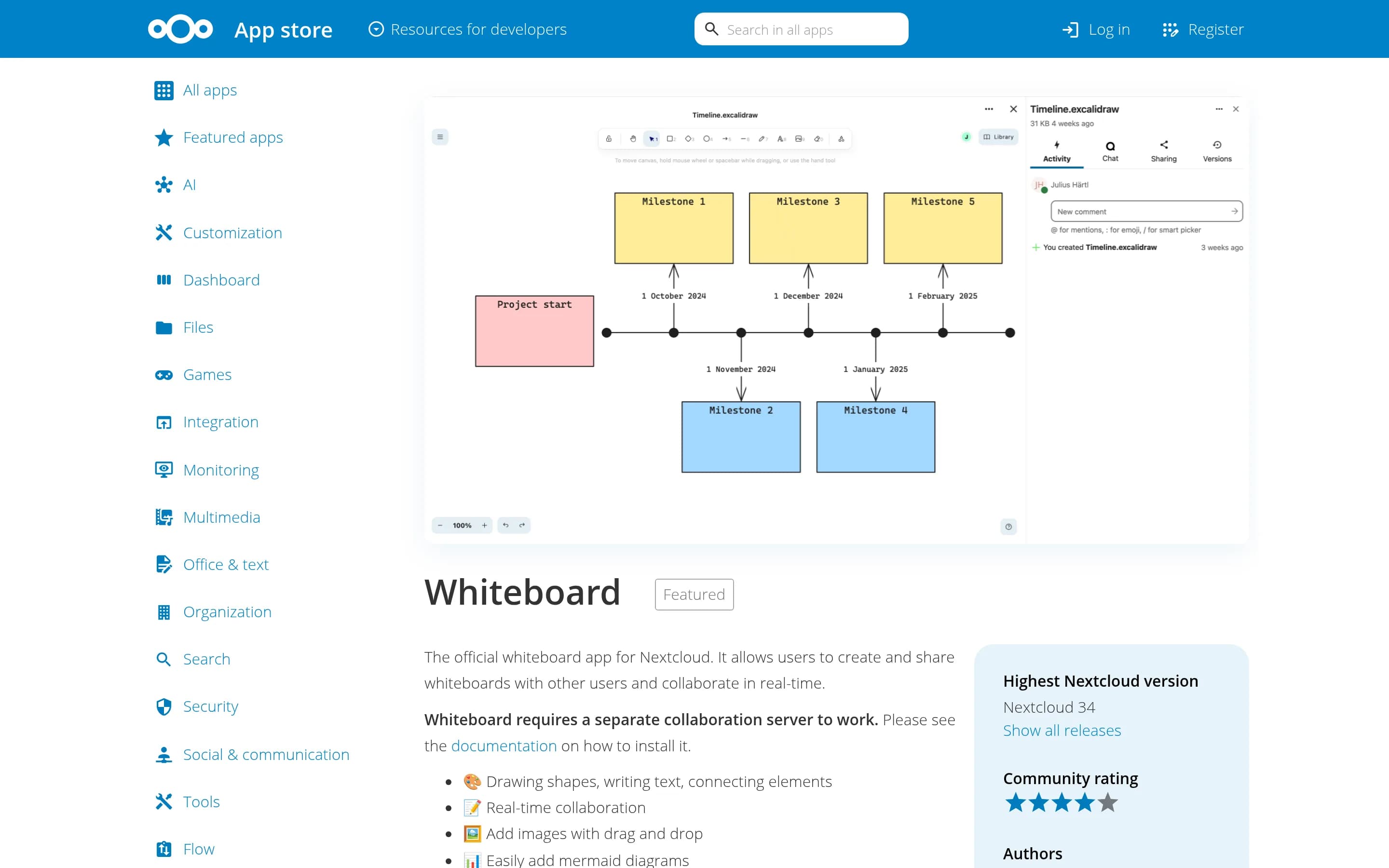
Nextcloud Whiteboard is the official Nextcloud app for creating and sharing infinite whiteboards. Users can draw shapes, write text, connect elements, and collaborate in real time, with semi-offline support for working locally and synchronizing changes when connectivity returns. The browser-based client stores changes in IndexedDB and synchronizes them with server storage.
Basic whiteboard use works without the collaboration server; live sessions use a separate WebSocket server authenticated through a shared JWT secret. The server can run with Node.js or Docker and supports reverse proxies, in-memory or Redis-backed session storage, and multi-server scaling. Board recordings are also documented, requiring Chromium and ffmpeg or the provided Docker environment.
What it covers
- Infinite canvas
- Real-time collaborative editing
- Shapes, text, and connected elements
- Persistent browser-local changes with server sync
What’s different
- No documented comments, reactions, mentions, polls, or voting
- No documented research-synthesis workflow
- No documented documents, tables, timelines, or Kanban views
- No documented interactive prototyping
- No documented AI-assisted canvas workflows
- No documented presentation workflow
- No documented broad application-connector catalog